TL;DR
GenieCRM portfolio revenue intelligence is the practice of turning sales conversations at each portfolio company into records and signals the firm can compare, without replacing any portco's CRM. The hard part is restraint. A rollup that counts every call as pipeline and every name as a new contact will look healthy right up until the board meeting.
Here's what you'll learn in this article:
- What one portco buyer conversation should actually create (and what it should not)
- The four-layer record map: local CRM, portco workspace, permissioned common revenue model, firm reporting
- How duplicate prevention, source evidence and explicit qualification keep pipeline rollups honest
- A portfolio-operations audit checklist you can run against any portco this quarter
A note on naming: GenieCRM is the private equity offering from GTM Engine, a revenue intelligence layer that sits over portfolio companies' existing CRMs. It is unrelated to the real-estate products sold under the MLS Genie name.
GenieCRM portfolio revenue intelligence starts with one conversation, not one dashboard
If your portfolio pipeline number is assembled from spreadsheets each portco CFO sends you, you are reporting on what people typed, not on what buyers said.
Portfolio revenue intelligence is a firm-level view of commercial activity built from the evidence underneath each portco's pipeline: calls, emails, meetings and the CRM records they touch. GenieCRM delivers that view by sitting on top of each portco's CRM, mapping relevant revenue data into a common model, and keeping each company's own workspace intact.
The operating question it answers is the one a buyer on one of our calls put plainly. The buyer wanted to see "what's been committed versus ... what the pipeline supports." That is a decision question. It is also impossible to answer if the pipeline itself is padded with duplicates and unqualified "opportunities" that were really just a friendly first call.
Our companion article, CRM Records From Sales Calls: What One Conversation Should Create, Match, and Leave Alone, covers this at the single-company level. This piece follows the same conversation up one more floor, to the firm.
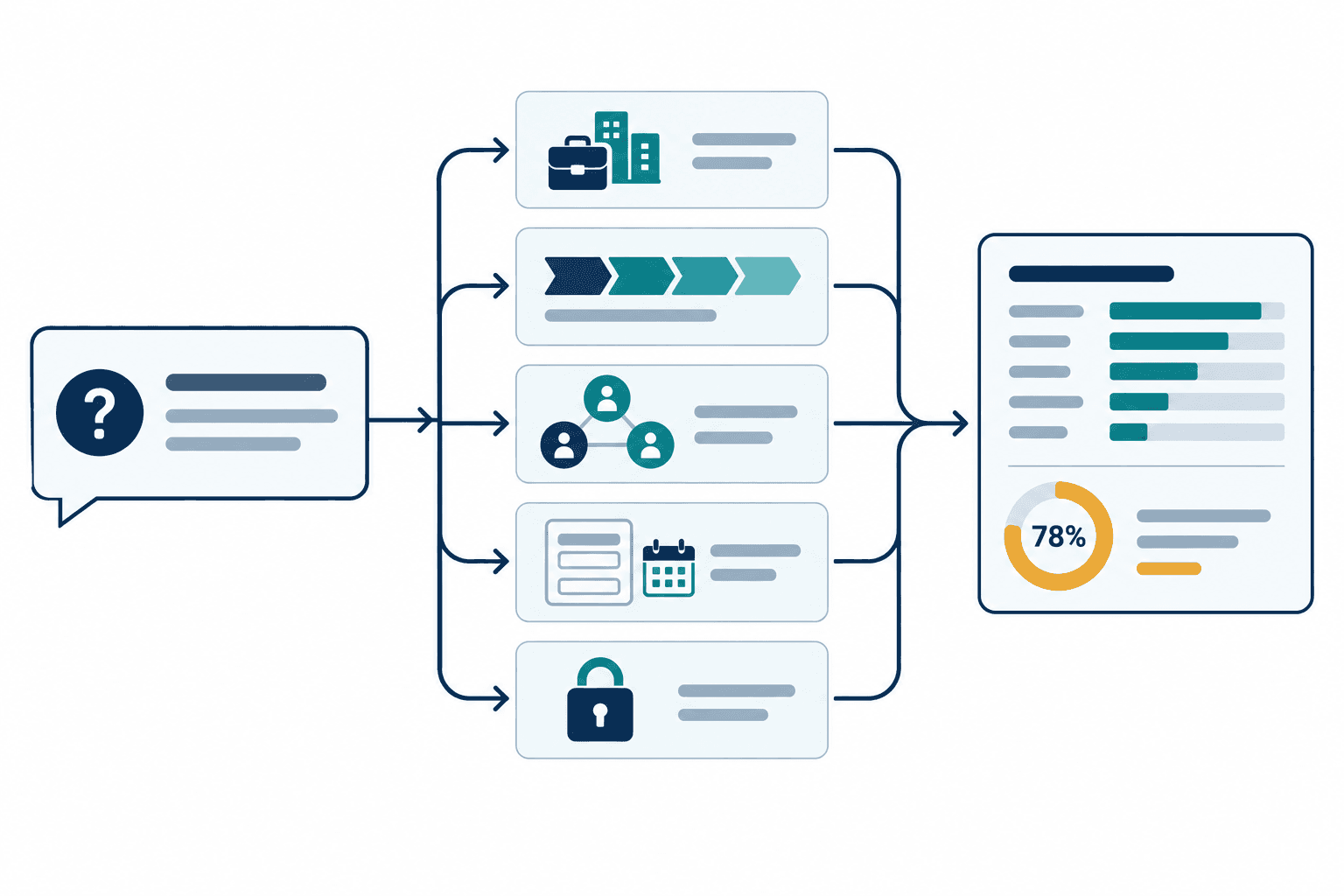
A single buyer call should create less than you think
Record-level mechanics sit below the operating partner's line of sight, and that is exactly where portfolio numbers get inflated.
Take an illustrative example. A sales rep at a portco that sells field-service software holds a 40-minute discovery call with a regional distributor. Two people from the buyer join: an operations director the rep has emailed before, and a VP of finance nobody at the portco has met.
Here is what that call should produce in a well-run system. The distributor already exists as an account in the portco's CRM, so the call matches to it rather than creating a second one. The operations director matches to her existing contact record. The VP of finance is genuinely new, so one contact gets created and attached to the right account. The call itself becomes an activity associated with that account and both contacts.
Then comes typed enrichment: structured fields filled from what was actually said. Stated pain (manual dispatch scheduling), a competitor mention, the VP of finance's role in the decision, a proposed next step with a date. Each field points back to the moment in the conversation it came from.
Now the part that matters for your rollup. No opportunity gets created. The buyer described a problem but has no budget cycle, no timeline and no agreed evaluation. The portco's own qualification rules say that is a pre-opportunity conversation, so it stays one.
One call, one matched account, one matched contact, one new contact, one activity, four typed fields, zero opportunities. That is a good outcome.
A system that turned this call into a $90,000 opportunity would make the portco's pipeline look better this month and your forecast worse next quarter.
The record map runs from local CRM to firm reporting in four layers
Firms that skip a layer either lose the portco's context or lose the ability to compare across companies.
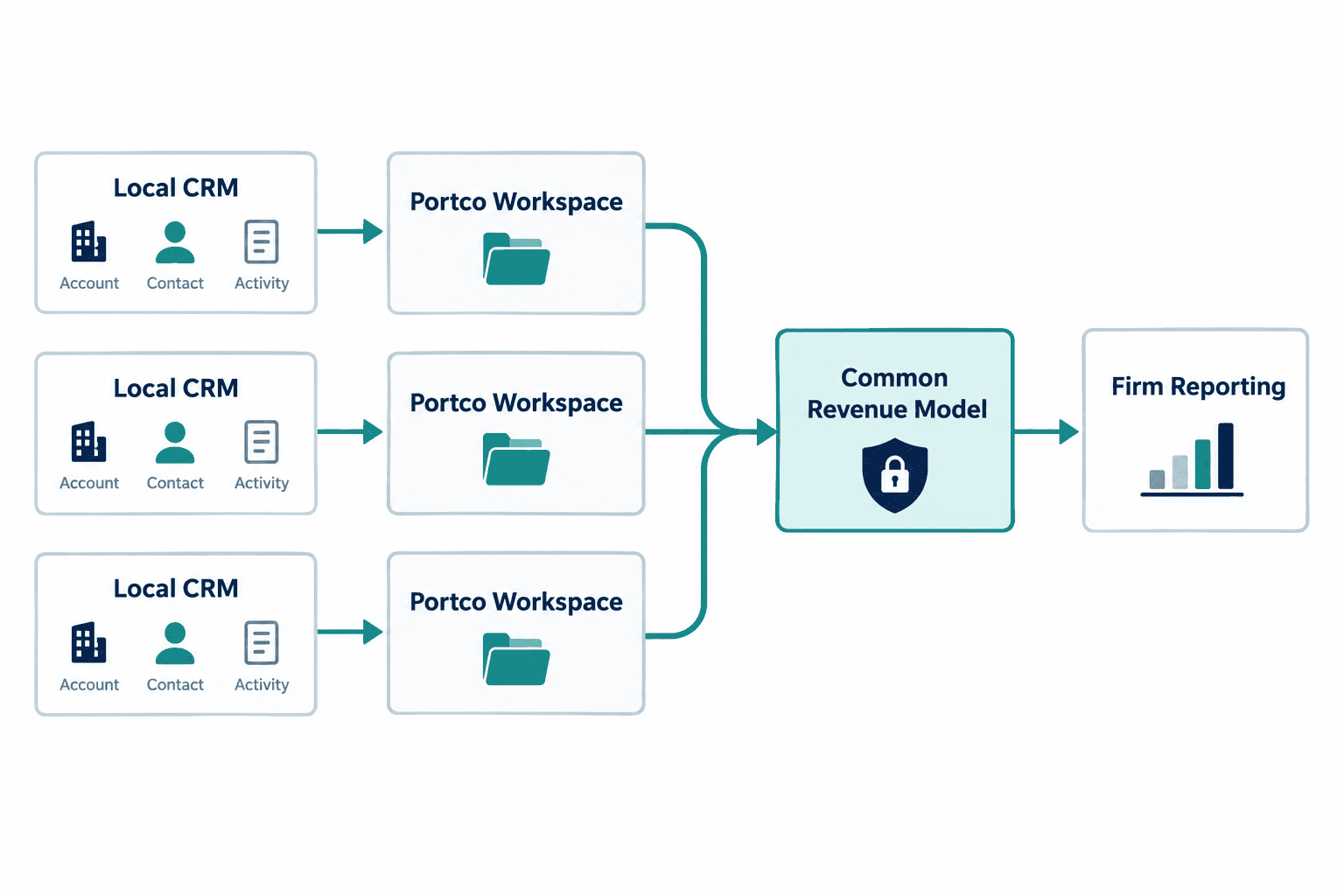
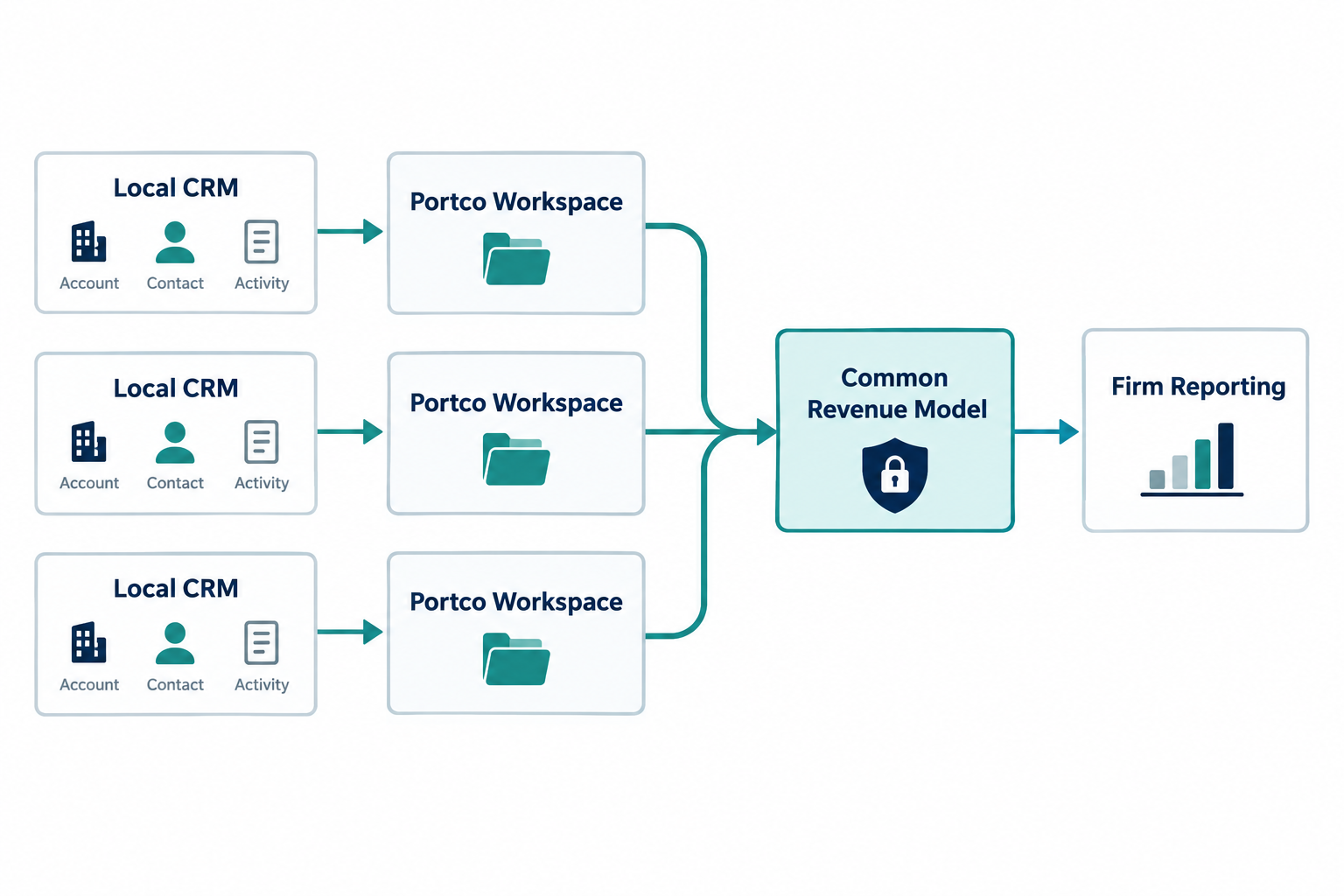
The record map is the path a single activity takes from the portco's system of record to the firm's report. GenieCRM structures it as four layers, and each layer has a different owner and a different job.
| Layer | What lives there | Who owns it | What moves up |
|---|---|---|---|
| Local CRM | The portco's accounts, contacts, opportunities, stages and history (HubSpot, Salesforce, Dynamics or a custom build) | Portco RevOps and sales leadership | Records and activities the portco has permitted to sync |
| Portco workspace | Matched records, associated activities, typed enrichment with source evidence | The portco team, day to day | Fields mapped to the common model |
| Common revenue model | Shared definitions for accounts, opportunities, stages and signals across every portco | Firm portfolio operations, agreed with each portco | Comparable, permissioned metrics and signals |
| Firm reporting | Portfolio views, reports and operating plays | Operating partners and analysts | Decisions and plays that roll back down |
The local CRM stays the system of record. Ownership, stage history and the portco's quirks (every company has at least one custom field named "Stage_v2_FINAL") stay where they are. GenieCRM writes enrichment back to the local CRM only where the portco has granted write access.
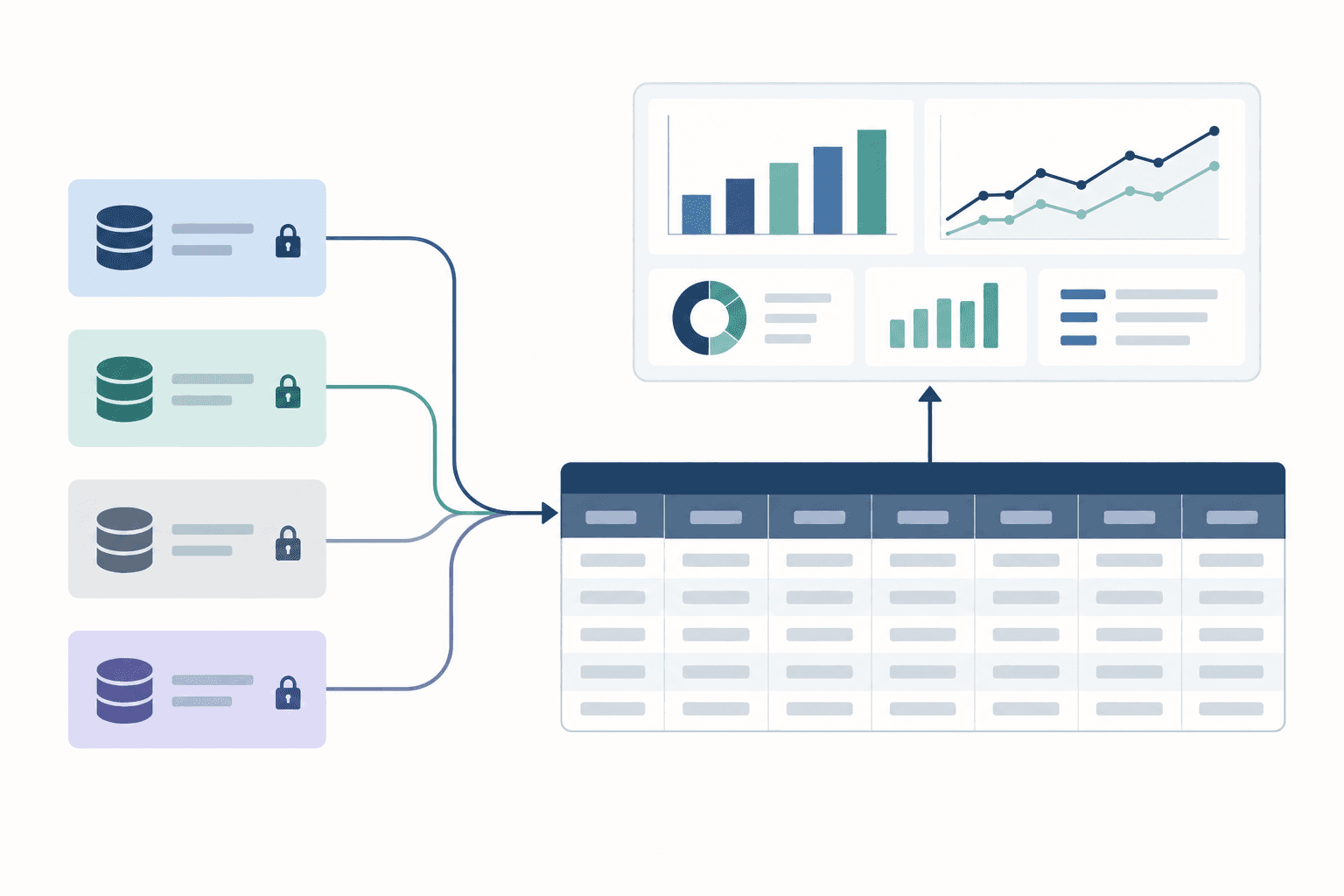
That last point is not theoretical. On one implementation call, contact properties set to read-only in a portco's HubSpot instance left records incomplete and broke downstream associations until permissions were fixed. The overlay is only as good as the access the local admin grants it, and a firm should know that before it trusts a rollup.
The common revenue model is where comparability happens. A "qualified opportunity" at a portco with a 30-day transactional sale and one with a nine-month enterprise sale are different animals. The model records both under a shared definition while keeping each portco's stage mapping visible, so an analyst can see why the numbers differ.
Here is how that mapping looks in practice, using two illustrative portcos. Portco A sells a transactional product; its local rule says a deal is qualified once the buyer has a named owner and a quoted price. Portco B sells nine-month enterprise contracts; its local rule requires a confirmed budget, an identified economic buyer and an agreed evaluation plan. Both map to the firm's "qualified opportunity" stage, but each record carries its portco's criteria and a sales-cycle segment tag. Firm reports compare Portco A against other transactional portcos and Portco B against other enterprise portcos, never one against the other on raw pipeline or win rate.
Duplicate prevention, source evidence and explicit qualification keep rollups honest
Three small record-level leaks compound into a portfolio pipeline number that nobody can defend in a board meeting.
Duplicate prevention
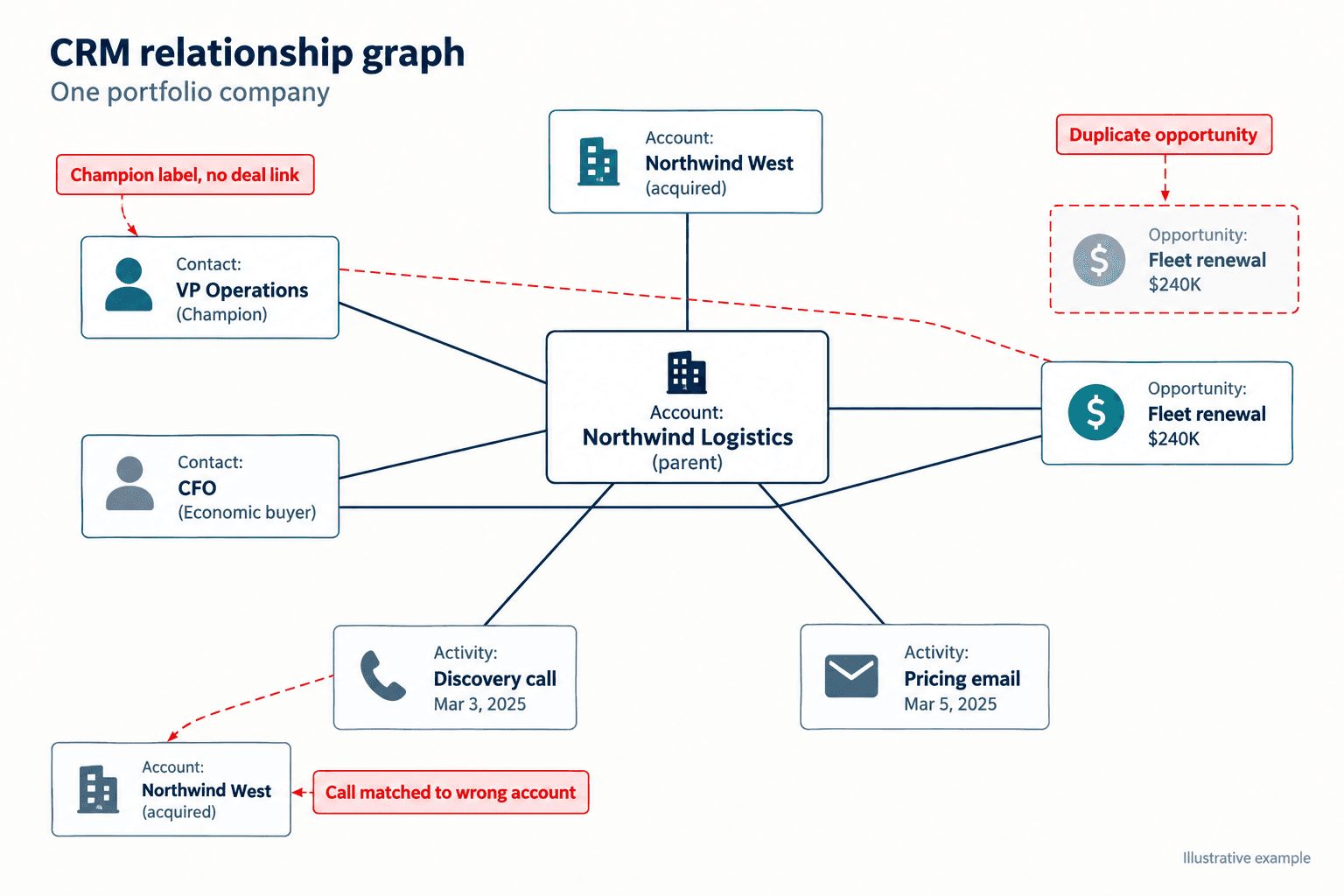
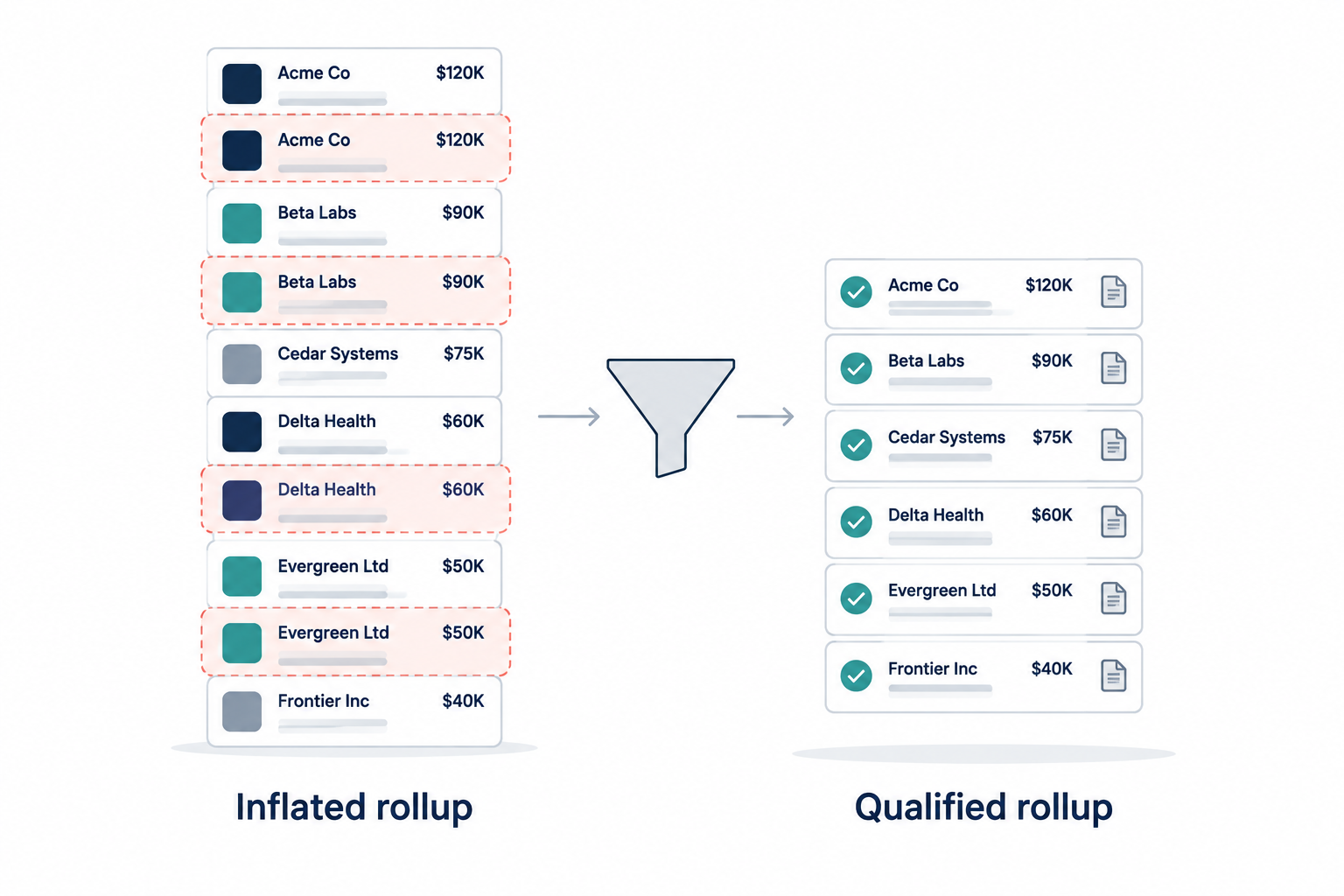
Duplicate prevention is the rule that a new activity matches to an existing account or contact before anything new gets created. Without it, "Acme Distribution," "Acme Dist." and "acme-distribution.com" become three accounts, each with its own open deal. Across a portfolio, that becomes double-counted pipeline at the firm level.
Matching on messy names is hard, and inconsistent customer naming is a real evaluation question buyers have raised with us. Ask any vendor, us included, to run matching against a sample of your portco's actual data and show you the merge decisions. Do not accept a slide.
Source evidence
Source evidence is the link between a CRM field and the conversation or email that justified it. When a field says "budget confirmed," an analyst should be able to click through to the line where the buyer confirmed it. GenieCRM keeps that link on enriched fields, which is what lets a firm analyst inspect a portco deal without a week of email to the portco CFO.
Evidence also changes the commit conversation. When a rep's commit and the evidence attached to the deal disagree, that gap is the most useful thing on the page.
Explicit opportunity qualification
Explicit qualification means an opportunity exists only when the portco's agreed criteria are met, and the system records which criteria were met and where the proof is. A first call does not qualify itself. Neither does an enthusiastic buyer.
These three controls work together. Duplicate prevention stops the same deal from being counted twice, evidence stops a deal from being counted on a rep's optimism, and qualification stops a conversation from being counted as a deal at all.
Shared definitions matter more than shared software
Comparing portcos without agreed definitions produces rankings that are precise and wrong.
A common revenue model is a set of shared definitions, not a single CRM. One buyer described a post-acquisition reality in blunt terms: "They think they're tucking it in but what they end up doing is having five separate companies in one." Agree on qualification definitions without requiring those five companies to migrate to one CRM. A migration can wait. The definitions cannot, because every rollup the firm produces depends on them.
Start small. Pick a handful of definitions the firm needs for every portco: account, contact, activity, qualified opportunity, stage, and two or three conversation signals such as competitor mention or stated pain. Record where a portco's motion requires a different interpretation, and keep that note next to the number.
Different companies also break differently inside a single portco. One revenue leader told us about "four distinct product lines, four distinct revenue goals," two of which, by that leader's account, were "hemorrhaging money." A firm-level view that averages those four together hides the only thing worth knowing. Keep the product line or business unit as a dimension in the model.
Firm-level intelligence is only useful when it triggers an operating play
A portfolio dashboard that nobody acts on is one more Monday tab your analysts maintain for free.
GenieCRM gives firm operations and analyst teams a workspace to build reports and repeatable plays that roll back down to portcos. The test for any signal is simple: does it point to a specific decision, with an owner, that someone will review against what happened next?
Some plays the record map makes possible:
- Commit review: compare each portco's commit with the evidence attached to the deals behind it, and send the gaps to the portco sales leader before the forecast call.
- Coverage check: flag forecast deals where the portco has only ever spoken to one contact at the buyer.
- Outbound discipline: one operating executive told us, "sales reps are just calling on who they know. There's no real discipline in it." Activity data by account segment shows whether that is true at a given portco.
- Definition fix: when two portcos report wildly different win rates, check whether their qualification rules differ before assuming one sales team is better.
Plays like these are how a firm moves revenue unit economics: opportunity volume, win rate, average deal size and cycle length. We are not going to promise a percentage improvement on any of them. We do not have before-and-after portfolio data that would support one, and you should be suspicious of anyone who quotes you one before seeing your portcos.
Adoption and data access are real constraints
The best record map fails if the operating partners will not use it or the portcos will not grant access.
One prospect told us their operating partners have established ways of working and "most of them just don't want to change." That is one firm's experience, and we would not generalize it. It is still a change-management risk that deserves a plan before the contract is signed.
Data access needs the same seriousness. Each portco decides what syncs, what the firm can see and what GenieCRM can write back. Security review, permissions and data-flow mapping are implementation work for the portco's admin and the firm's IT or security lead. Budget time for it.
There is also a fit question. Another prospect said, "Love this tool. Do I have a use for it today? Do I have a client for it today? No." If the firm has no portco with a live revenue question right now, wait. Start when one portco has a forecast you do not trust or a post-acquisition integration that is not integrating.
Choose the system by the operating problem it must solve
Searches for "best PE CRM" return tools built for very different jobs.
Private equity software splits roughly into four jobs: relationship and deal-sourcing CRM for the deal team, portfolio KPI and financial reporting, deal and network intelligence, and revenue execution inside the portcos. Affinity, Allvue and similar products appear frequently in PE CRM guides. We have not run a structured comparison against them, so we will not rank anyone.
GenieCRM addresses the fourth job, viewed from the firm. One buyer summed up the architecture in four words: "This is an overlay." If your problem is tracking LP relationships or sourcing deals, a different category fits better.
The portfolio-operations audit checklist
Run this against one portco before you trust its numbers in a portfolio rollup.
The sample is ten sales calls from the last 30 days, pulled by the firm analyst. Each item names what fails and who fixes it. No universal pass threshold applies; the portco and the firm agree on one after the first run.
- Account matching. For each call, confirm the activity sits on the correct existing account. Fails if any call created a new account for a company already in the CRM. Owner: portco RevOps merges and fixes the matching rule.
- Contact creation. Spot-check every new contact from those calls. Fails if a new record is a re-spelled existing person. Owner: portco RevOps.
- Opportunity creation. For each opportunity created, confirm the portco's written qualification criteria were met and the evidence is linked. Fails if any opportunity lacks either. Owner: portco sales leader reviews and downgrades.
- Source evidence. Pull five enriched fields (pain, next step, competitor, decision role, close date) and click through to the source. Fails on any field with no source. Owner: portco RevOps.
- Write permissions. List CRM properties set to read-only that the overlay needs. Fails if a required property is locked. Owner: portco CRM admin.
- Stage mapping. Compare the portco's stages with the firm's common model. Fails if one local stage maps to two firm stages, or two to one, without a documented rule. Owner: firm portfolio operations, with portco RevOps.
- Duplicate accounts. Search the account list by domain and total the open pipeline on duplicates. Fails if any open deal sits on a duplicate. Owner: portco RevOps.
- Commit versus evidence. Compare the current-quarter commit with the pipeline that carries qualification evidence. Record the gap in dollars. Owner: portco sales leader explains it before the forecast call.
- Review date. Set a date, usually the next forecast cycle, to rerun items 1 through 8 on a fresh sample.
- Next portco. Move on only after every failure from this portco has a named owner.
What changes for the operating team
A portfolio view built on matched records, linked evidence and explicit qualification will show a smaller pipeline than the spreadsheet version. That smaller number is the useful one, because it tells your team which portco needs help this quarter and why.
The practical next step is the checklist above, run against one portco this month. If the results show duplicates, unsourced fields or opportunities nobody can justify, you have your first operating play.
Frequently Asked Questions
What is GenieCRM?
GenieCRM is GTM Engine's offering for private equity firms. It is a revenue intelligence layer that sits on top of each portfolio company's existing CRM, maps relevant revenue data into a common model, and gives firm operating teams a portfolio-level view while each portco keeps its own workspace. It is not related to MLS Genie's real-estate products.
Does every sales call create a new contact or opportunity?
No. A call should match to existing accounts and contacts first, create a contact only for a genuinely new person, and create an opportunity only when the portco's qualification criteria are met. An early-stage call typically produces an activity and enrichment, and no deal.
Do portfolio companies have to replace their CRM?
No. The portco's CRM remains the system of record, with its ownership, stage history and workflows intact. GenieCRM reads from it and writes back only where the portco grants permission.
How does the firm avoid inflated pipeline rollups?
With three controls: duplicate prevention before record creation, source evidence linked to enriched fields, and explicit qualification rules for opportunities. Test all three on a sample of real portco data before relying on the rollup.
What is the best CRM software for private equity firms?
It depends on the job. Deal-team relationship management, portfolio KPI reporting and portco revenue execution are different problems. Decide which one you are solving, then evaluate tools against that problem with your own data.
To see the record map run against one of your portcos' CRMs, request a GenieCRM walkthrough with the GTM Engine team and bring the results of checklist items 1 through 4.